 PCSetup
The problem it solves
Setting up a new PC eats an evening. You visit a dozen websites, find the right download button (not the ad that looks like one), untick the toolbar offers, and click Next, Next, Finish over and over.
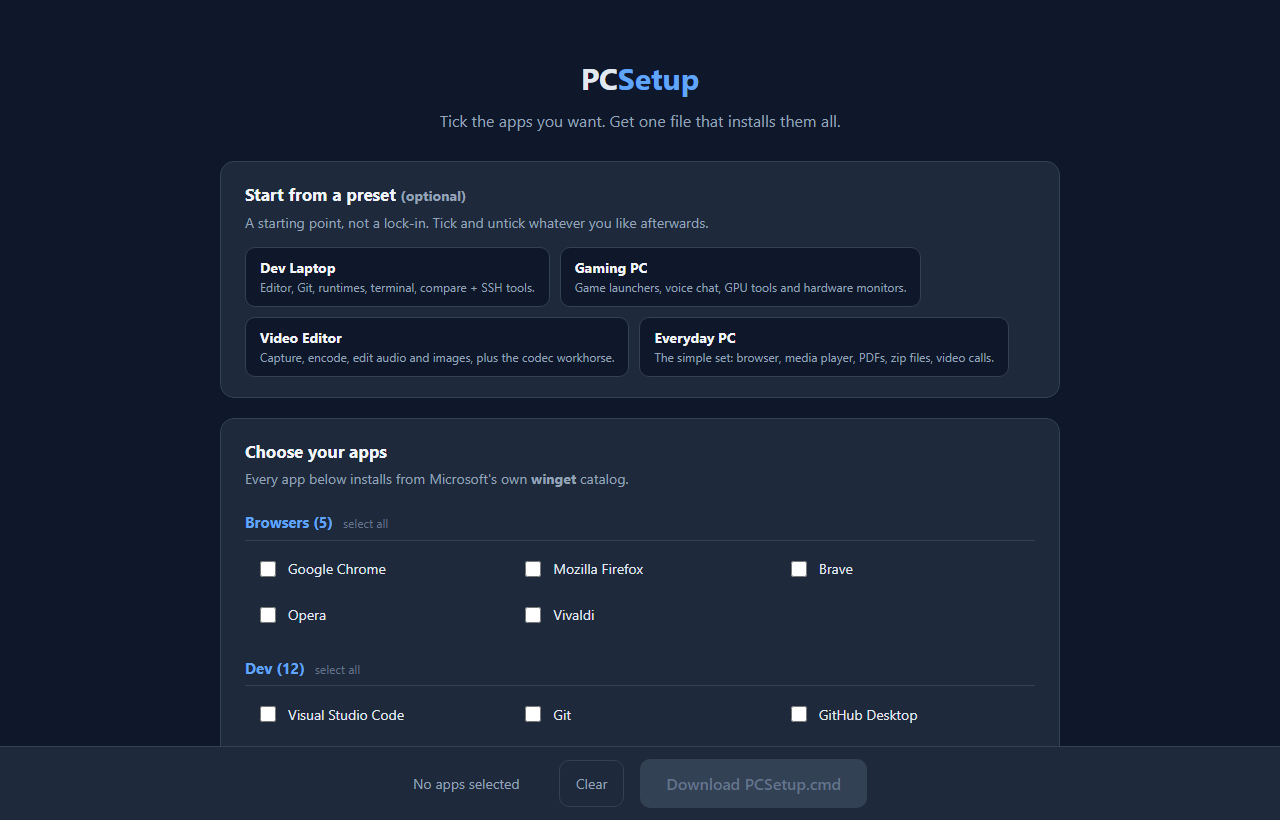
Windows already has a better way built in: winget, Microsoft's own app installer. It just isn't friendly. You have to know each app's ID and type commands. PCSetup gives you the friendly part: tick boxes on a web page, and it writes the commands for you.
How it works
- Pick your apps. Tick what you want from 57 apps in six groups: browsers, developer tools, media, chat, utilities and gaming. Or start from a preset and add or remove from there.
- Download PCSetup.cmd. It's built right in your browser from what you ticked.
- Double-click it on the PC you're setting up. If Windows shows a blue "Windows protected your PC" box, click More info, then Run anyway. That appears because the file is free and unsigned.
- Approve the one administrator prompt. One for the whole run, not one per app.
- Wait. When it's done, PCSetup-Log.txt on your Desktop shows what installed and what failed.
What's on the list
Browsers like Chrome, Firefox and Brave. Developer tools like Visual Studio Code, Git, Python, Node.js, Notepad++ and AutoHotkey. Media apps like VLC, Audacity, OBS Studio, HandBrake and GIMP. Chat apps like Discord, Zoom and Slack. Utilities like 7-Zip, PowerToys, Everything, ShareX, Bitwarden and LibreOffice. And gaming launchers like Steam, Epic Games and GOG Galaxy.
Every ID on the list was checked against the live winget catalog. PCSetup doesn't host, repackage or change any app. Each download comes from Microsoft's catalog and the original publisher, which means no repackaged installers and no toolbars.
Read it before you run it
The file is plain text: a list of install commands, one per app you ticked. Right-click it and choose Edit, or open it in Notepad, and you can read every line. The page also has a Show me exactly what this runs preview. No hidden or scrambled code. That's the whole point compared to a black-box installer.
It only installs. It doesn't remove software, change Windows settings, or leave anything running when it finishes. One honest warning: a few installers ignore the "install silently" instruction and pop up their own setup window, so check back on it now and then.
Why I ask for your email
The sign-up unlocks the tool in this browser. You only do it once per browser.
It has nothing to do with your app list. PCSetup builds the file in your browser, so what you tick is never uploaded. There's no account, no tracker, and no background agent on your PC.
I might send you a note now and then about other free tools I build. I will never sell or give your email to anyone else.
Questions people ask
Is it really free?
Yes, PCSetup is free. The apps come straight from their publishers, and a few have their own licensing (WinRAR, for example).
Does it work on a Mac?
No. It's for Windows PCs, because it uses winget, which is built into Windows.
It says winget was not found. Now what?
Some older Windows 10 machines and freshly imaged or LTSC systems don't have it yet. The file opens the Microsoft Store to App Installer. Install that, then run PCSetup.cmd again.
Some apps failed. What do I do?
Check PCSetup-Log.txt on your Desktop. A failure doesn't stop the rest of the run, and running the file again is safe and retries. If several fail at once, build a fresh file from the site, since publishers sometimes rename their packages.
Can I use the same file on more than one PC?
Yes. It has no license, no key and no expiry. Copy it to a USB stick and run it on as many machines as you like.